Grumpy Cat Flow
Put Grumpy Cat Flow on your Home Screen
You, this browser, and how the runs work. Changes to the runs apply to the next run.
You
Signed in asMembers ›
EverywhereEvery browser and device signed in to this app as you, this one too: for a lost phone, or a computer you didn’t sign out of. The other apps here stay signed in.
This browser
Appearance
Home ScreenPut Grumpy Cat Flow on it ›
Everyone here can read the runs, the scorecard and the spending. Only Jonathan starts runs and changes settings. Only you see the number of places and the sign-ins below, including anyone who was turned away.
Members
PlacesNobody new can sign in while every place is taken. There can't be fewer places than people who have one.
Removed signed out, and can’t sign back in until you let them
Sign-ins
| Who | When | Where | Browser | Outcome |
|---|
Five taps in Safari, and Grumpy Cat Flow has its own icon on your iPhone. It opens full screen, like an app.
-
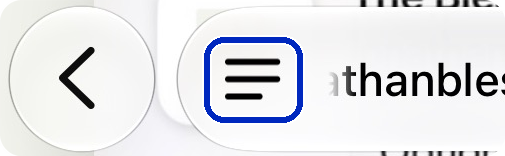
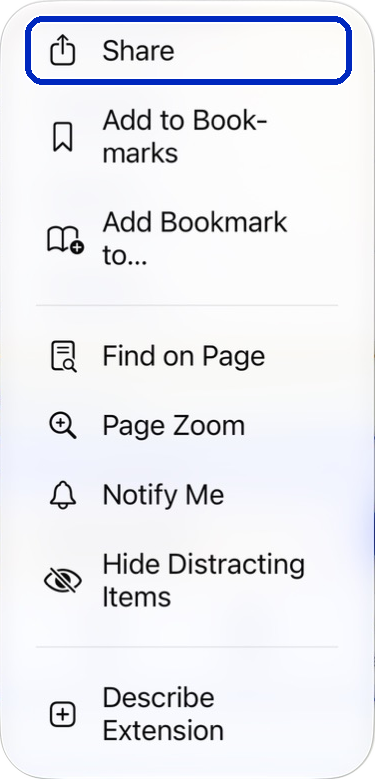
Tap then Share
That’s the button with three lines at the left end of the address bar, beside the back arrow.
On an older iPhone, Share (a square with an arrow) is right in Safari’s toolbar. Tap it and go on to step 2.
-
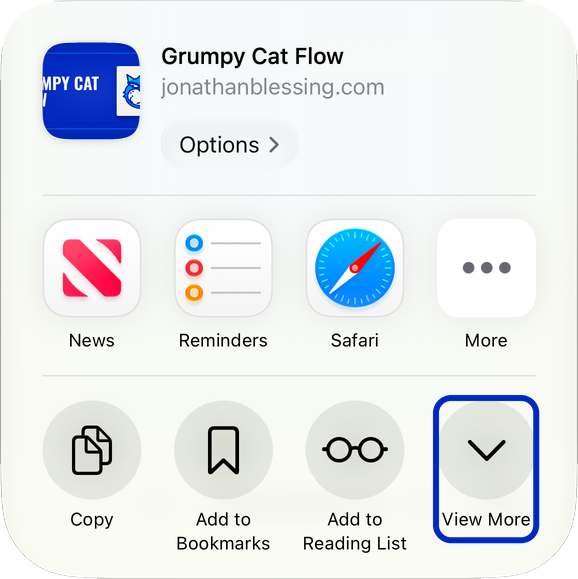
Tap View More
It’s the last of the round buttons along the bottom of the share sheet.
-
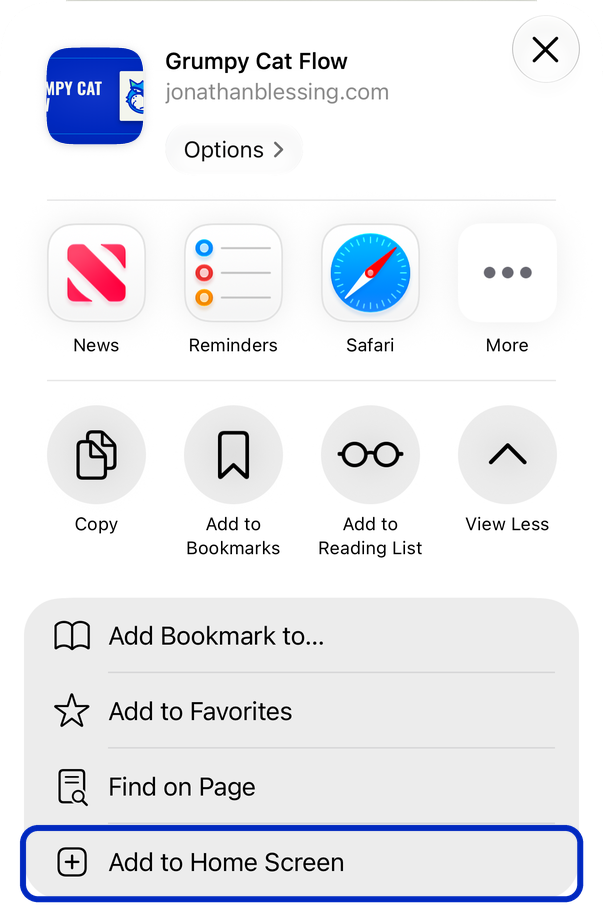
Tap Add to Home Screen
It’s in the list that opens under the round buttons.
-
Tap Add
It’s named Grumpy Cat Flow. If you see Open as Web App, leave it on. Then open Grumpy Cat Flow from your Home Screen. It may ask you to sign in with Google once more, because the Home Screen copy keeps its own sign-in.
 Look for the grumpy cat.